Back to Projects

AD Onboarding – New Hire

LIVE

Fully automated Active Directory onboarding — from LDAP-authenticated web form to provisioned user account in under 60 seconds.

Overview

What it is

A production-grade automation system that provisions new Active Directory user accounts through a secure, LDAP-authenticated web application. An authorized IT team member fills out a form, and the system handles everything: username generation, password creation, OU placement, group assignments, audit logging, and real-time Slack alerts — with full error handling and partial-failure recovery.

Who it's for

IT and infrastructure teams that need a reliable, auditable, and consistent onboarding process — eliminating the risks of manual AD administration.

Before vs. After

Manual Process

10-15 min per user

Time-consuming manual work

No audit trail

Who created what account?

Silent failures

Errors go unnoticed

Inconsistent execution

Different procedures per admin

Human error prone

Typos, wrong OUs, missed groups

Automated Process

Under 60 seconds

Fully automated provisioning

Full actor tracking

Complete audit trail

Real-time Slack alerts

Immediate visibility

Consistent every time

Same steps, zero drift

Validated & sanitized

Input validation prevents errors

The Solution: Pipeline

A secure web application backed by an n8n automation workflow that follows a deterministic, fully-logged pipeline:

1

LDAP-Authenticated Login

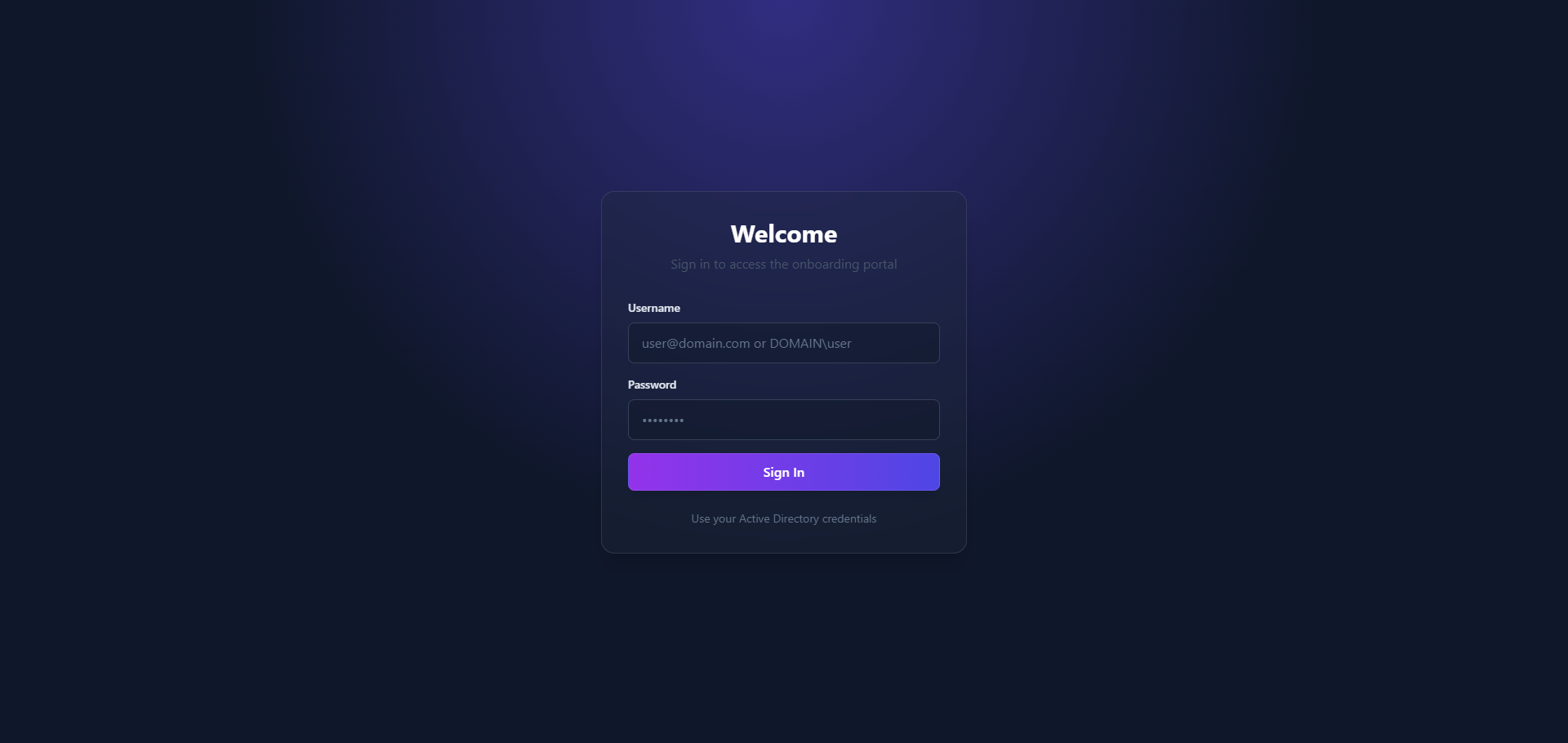
IT staff logs in with their Active Directory credentials. The system verifies identity via LDAP and establishes a secure session.

2

Onboarding Form Submission

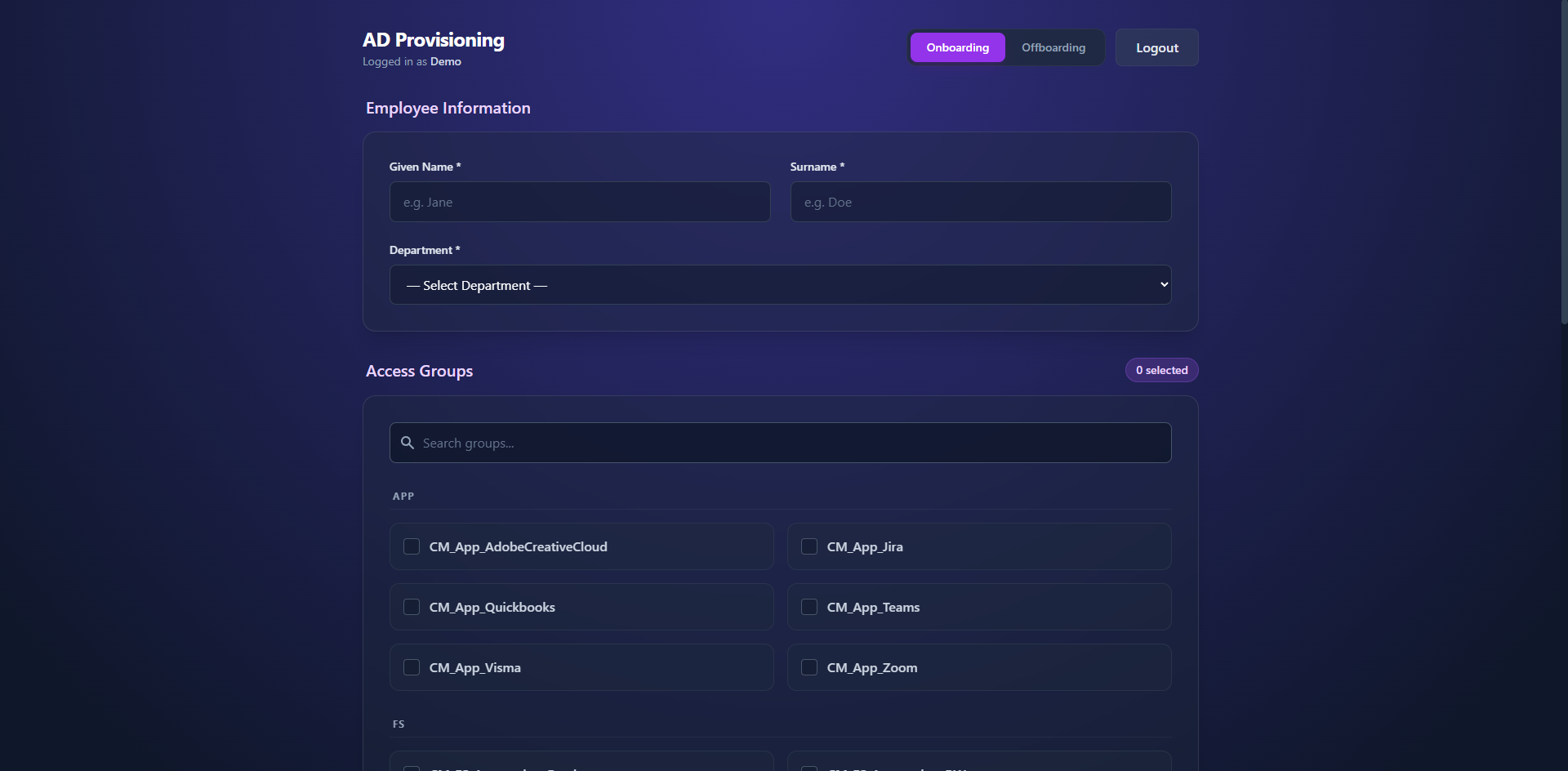
The authenticated user fills in new hire details (name, department) and selects permission groups — dynamically loaded from Active Directory.

3

Input Validation & Sanitization

The workflow validates all fields, checks for command injection characters, enforces length limits, and trims whitespace before anything touches AD.

4

AD User Provisioning via PowerShell

A hardened PowerShell script runs on the domain controller via SSH: generates a secure username, creates a strong random password, places the user in the correct OU, and assigns all requested groups.

5

Partial Success Detection

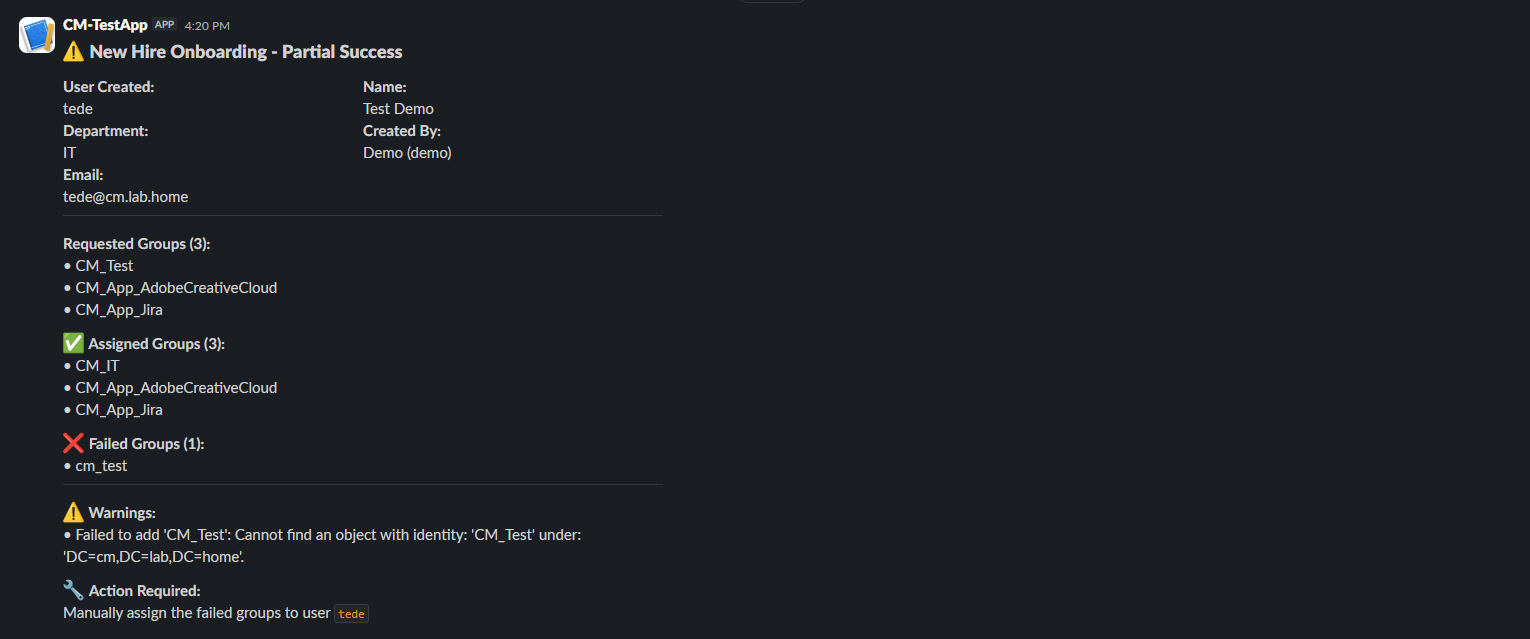
The system compares requested groups vs. actually assigned groups. If some groups failed (e.g., group doesn't exist), it flags a partial success — the user is still created, but IT is alerted about what needs manual attention.

6

Audit Logging to Data Tables

Every execution is logged to two n8n Data Tables: New Hire - Onboarding (full record) and Workflow Execution Log (START and END events with execution time, result status, and actor tracking).

7

Slack Notifications

Real-time alerts sent to the IT Slack channel: Success (confirmation with username and credentials), Partial Success (detailed breakdown of which groups failed), Data Table Failure (alert if audit logging itself fails).

Architecture

React Frontend

Tailwind CSS

Express Backend

LDAP Auth

n8n Webhook

Automation

PowerShell via SSH

to DC

Active Directory

User + Groups

n8n Data Tables

Audit Logs

Slack Webhooks

Alerts

Two Workflows Working Together

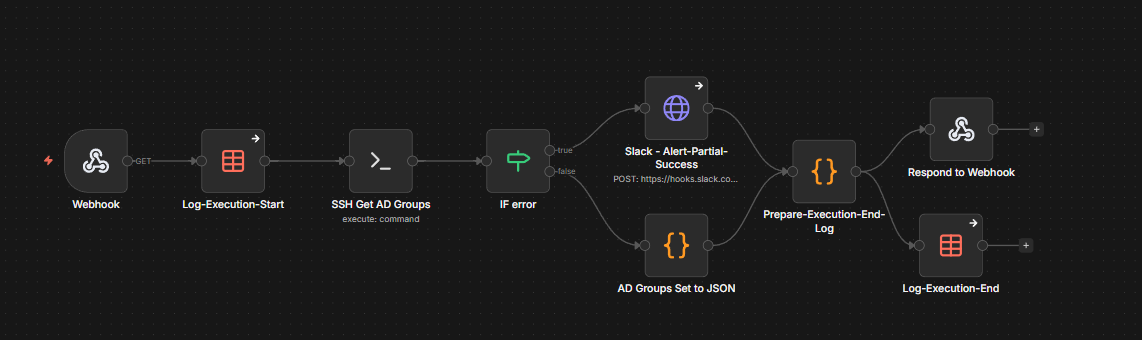
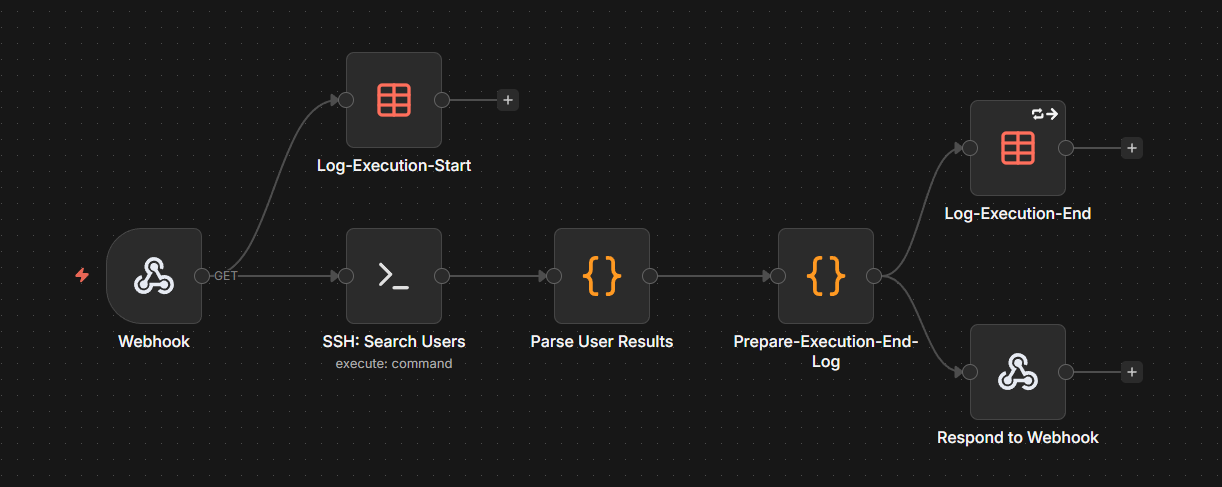
n8n Workflow - Get AD Groups for Onboarding Form
Click to enlarge

Get AD Groups for Onboarding Form

Called when the form loads. Fetches all available permission groups from Active Directory, categorized by department/function.

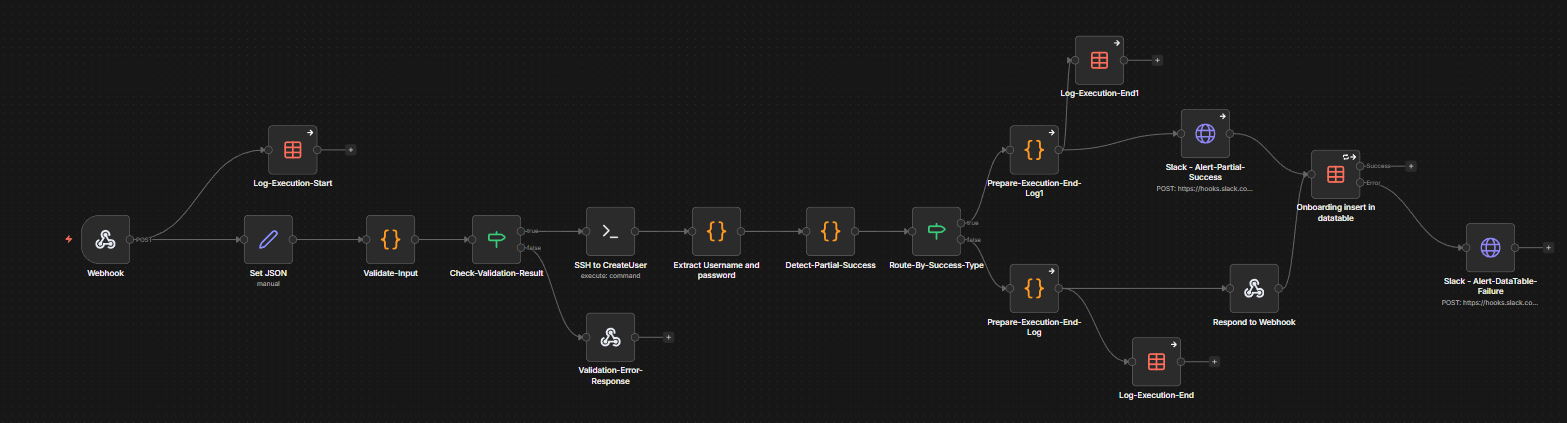
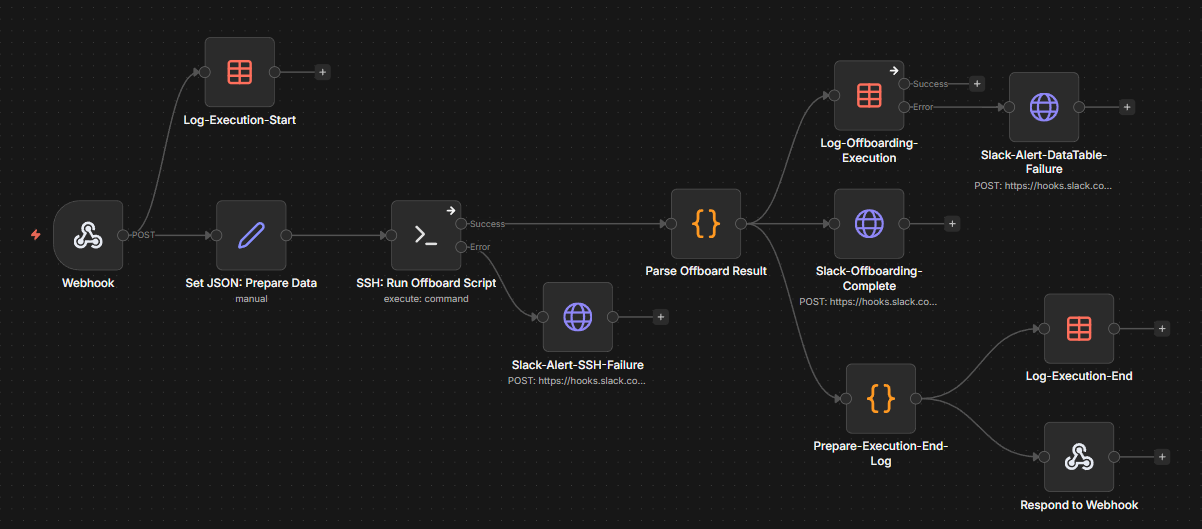
n8n Workflow - New Hire Onboarding
Click to enlarge

New Hire - Onboarding

The main pipeline. 18 nodes with full error handling on every path. Validates input, provisions the user, detects partial failures, logs everything, and sends alerts.

Security

LDAP Authentication

Only authorized AD users can access the onboarding form — no anonymous access.

Actor Tracking

Every action records who initiated it (username, UPN, display name) — full accountability.

Input Sanitization

All fields validated against command injection patterns before reaching PowerShell.

CSRF Protection

Double-submit cookie pattern prevents cross-site request forgery.

Rate Limiting

API endpoints are rate-limited to prevent abuse.

No Stored Passwords

Generated passwords are returned once and never persisted in any data table or log.

What Happens When Something Fails

The system is designed to fail safely, loudly, and traceably:

  • Input rejected: Invalid or dangerous input is caught before it reaches AD. The form shows a clear error message.
  • User created but groups partially failed: The user account is still usable. A detailed Slack alert lists exactly which groups failed and why, with a clear "Action Required" for manual follow-up.
  • Data table insert fails: A separate Slack alert fires so the team knows audit logging needs manual attention.
  • Execution logging: Both START and END events are recorded, so even if the workflow crashes mid-execution, you have visibility into what happened.
  • No silent failures: Every error path has a handler. Nothing fails without someone being notified.

Key Features

LDAP-Authenticated Web Form

Secure login using existing AD credentials

Dynamic Group Loading

Permission groups fetched live from AD

Input Validation & Sanitization

Command injection prevention, field validation

Automated User Provisioning

Username generation, password creation, OU placement

Partial Success Detection

Requested vs. assigned group comparison

Actor Tracking

Full audit trail of who created each account

Dual Data Table Logging

Onboarding records + execution logs

Real-time Slack Alerts

Success, partial success, and failure notifications

Hardened PowerShell Scripts

Safe character sets, error tracking, JSON output

Screenshots & Demo

LDAP Login Page
Click to enlarge

LDAP Login Page

Onboarding Form with Department and Group Selection
Click to enlarge

Onboarding Form with Department and Group Selection

Slack Partial-Success Alert
Click to enlarge

Slack Partial-Success Alert

Data Tables with Actor Tracking Columns
Click to enlarge

Data Tables with Actor Tracking Columns

📽️ Demo Walkthrough

60–90 second demo showing: login → fill form → submit → user created → Slack alert

Tech Stack

Frontend

ReactTypeScriptTailwind CSSVite

Backend

Node.jsExpressLDAP (ldapjs)

Automation

n8nPowerShellSSH

Infrastructure

Active DirectoryDockerSlack Webhooksn8n Data Tables

Development Timeline

This project was built and hardened across three phases:

1
COMPLETED

Core Automation & Error Handling

Input validation, partial success detection, execution logging, data table failure alerts.

2
COMPLETED

Security Hardening

Removed password storage from data tables, improved PowerShell character sets, polished Slack messages.

3
COMPLETED

Actor Tracking & Accountability

Integrated LDAP-authenticated website with n8n workflows. Every action now records who initiated it — across data tables, execution logs, and Slack alerts.

Interested in this workflow?